1. Login to site admin.
2. Open Extensions > Modules
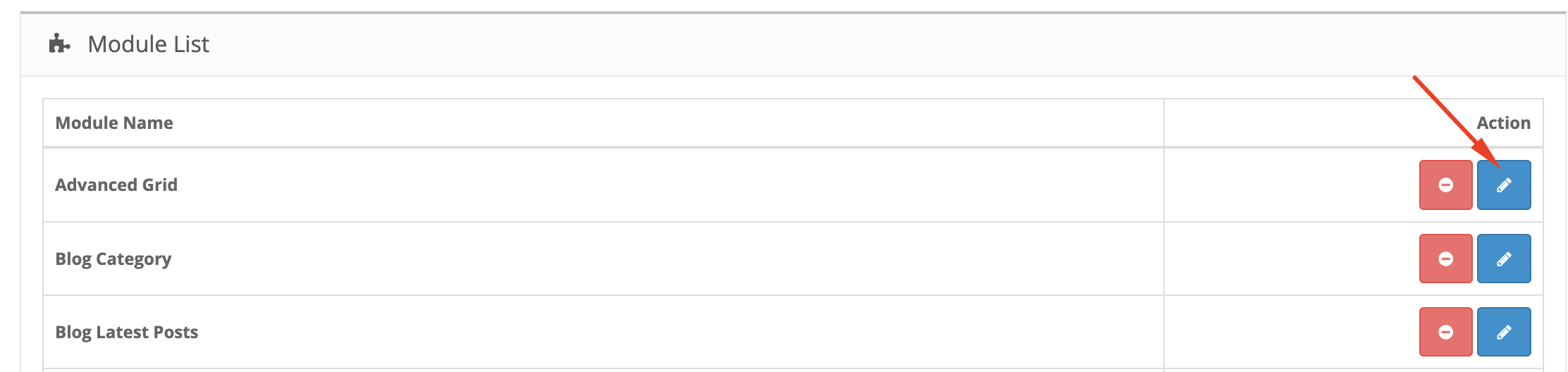
3. Click on Edit button of Advanced Grid (Wait until the page is fully loaded before touch anything)
4. Click on the Module you want to edit, then click on Column to see in detail
5. If you see a Module has Add custom class is product-list-4, this is Product List Module and you can edit, otherwise, do not edit.
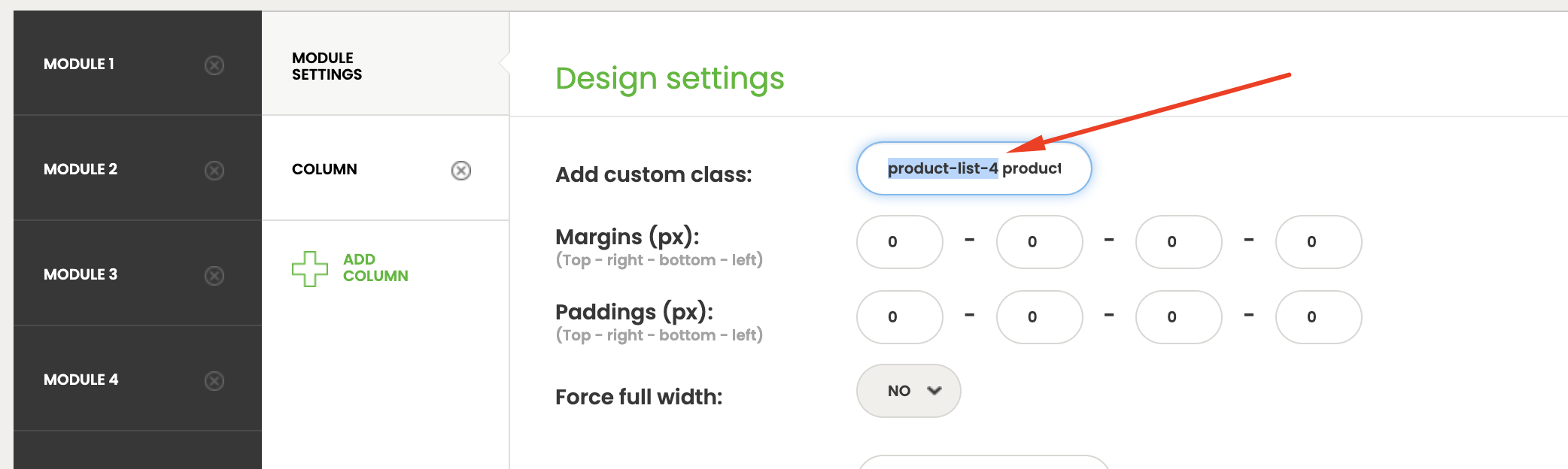
6. At the moment of this guideline, there are Module 3, 4, 6, 7.
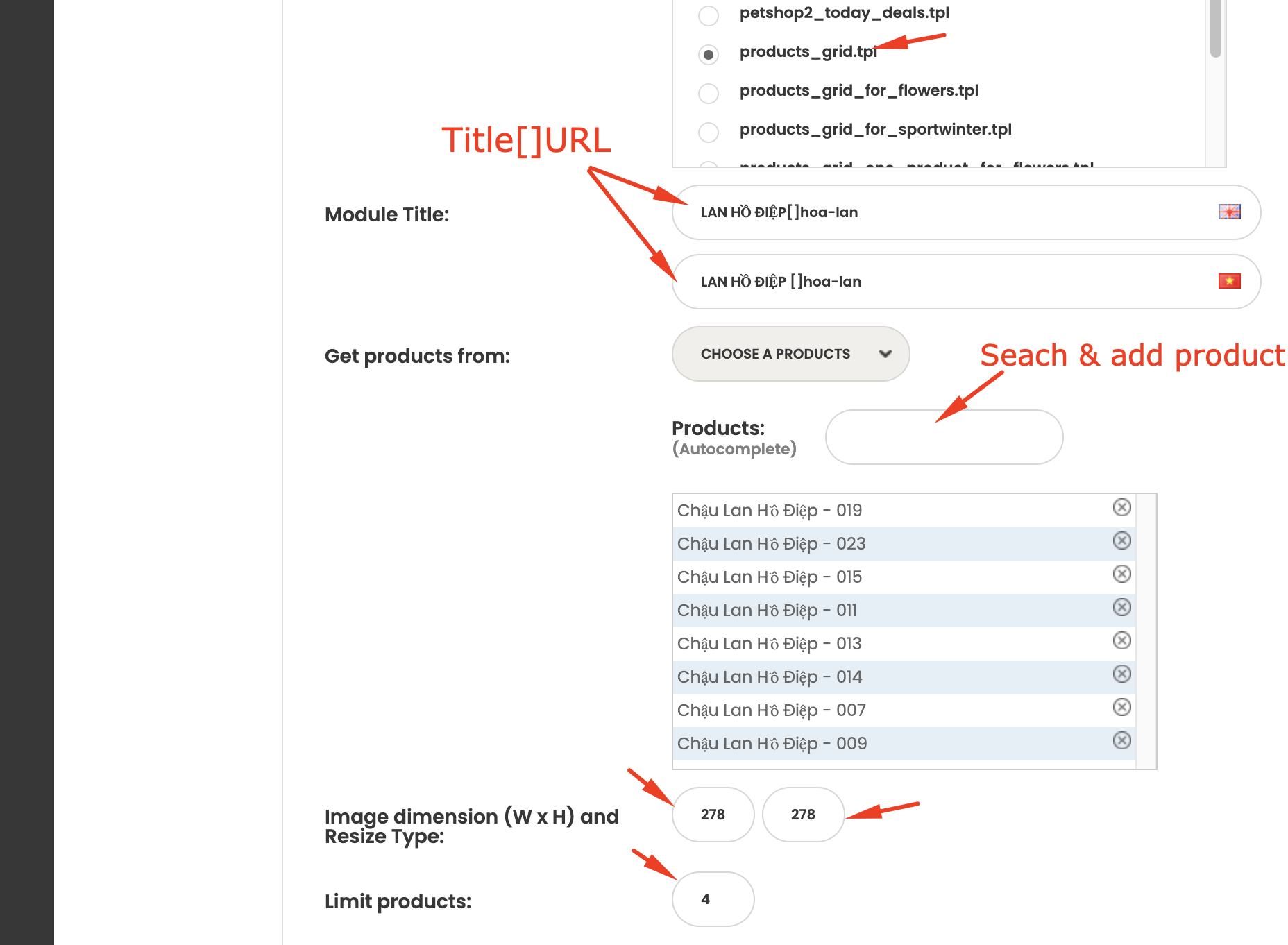
7. Save (Wait until the page is fully loaded before touch anything)
8. Clear Cache (Extensions > Modules > V2 Page Cache)